Enfold Theme Review

Enfold promises a fast setup: import a demo, swap in your content, and you have a working site. It comes in at the standard $59 ThemeForest price for a premium theme.
Can Enfold deliver a striking design regardless of niche? And after more than a decade on the market, is it still worth the money?
In this Enfold theme review, we go over the theme’s features before coming to a conclusion.
Quick Facts
| Detail | Info |
|---|---|
| Latest version | 7.1.3 |
| Price | $59 (Regular License), 6 months support included |
| Marketplace | ThemeForest, developed by Kriesi.at |
| Sales | 270,000+ |
| Last vendor update | July 2026 |
| Best suited for | Small business, portfolio, and blog sites that want a fast setup without a heavy third-party page builder |
What Is Enfold About?
Enfold is a feature-packed, performance-conscious multipurpose theme built to be usable by anyone regardless of skill level.
It’s a “mega theme” that can build almost any type of site. Alongside the various demo designs, it gives you the ability to customize every demo and element to meet your own requirements.
Kriesi.at, the company behind Enfold, started as a personal blog in 2006. Founder Christian Budschedl moved into WordPress theme development in 2008, and the 2013 release of Enfold established the studio as one of the more respected independent WordPress theme shops. Kriesi.at still only sells Enfold; it hasn’t diversified into a portfolio of themes.
Enfold Theme Review
Building a WordPress theme that actually holds up takes more than graphics and code snippets, and Kriesi.at has kept Enfold in active development for well over a decade, which is unusual in the ThemeForest marketplace.
Design and Style
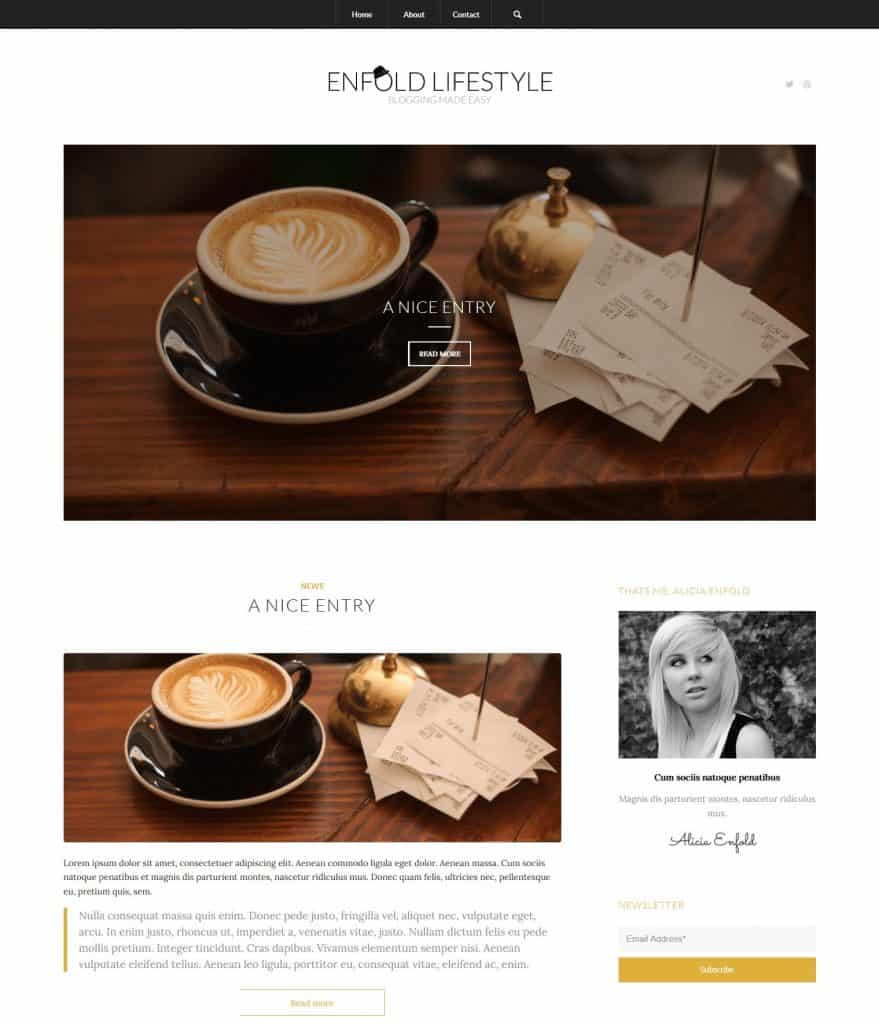
The demo library shows a theme capable of elegant, bold designs using a mix of text, animation, and imagery. The balance between professional and personal styling in the demos makes Enfold a reasonable fit for business sites, online stores, and portfolios alike.
Theme Features
Excellent Plugin Compatibility
The theme is built to WordPress coding standards, which keeps it compatible with most official and third-party plugins.
Two-Minute Setup
Enfold’s demo import process is still built around a one-click workflow: pick a demo, import it, then swap in your own content and graphics. It won’t literally take two minutes on every site, but it does remove most of the manual setup work compared to building a layout from scratch.
Advanced Layout Builder and the Block Editor
Enfold ships with its own Advanced Layout Builder (ALB) for drag-and-drop page building, and it also supports the native WordPress Block Editor (Gutenberg). You choose per page or post which one to use; you can’t mix both on the same page, and the ALB itself can’t be removed from the theme. If you’d rather build in Gutenberg and skip the ALB entirely, Enfold lets you set that as the default in Theme Options.
Large Selection of Demos
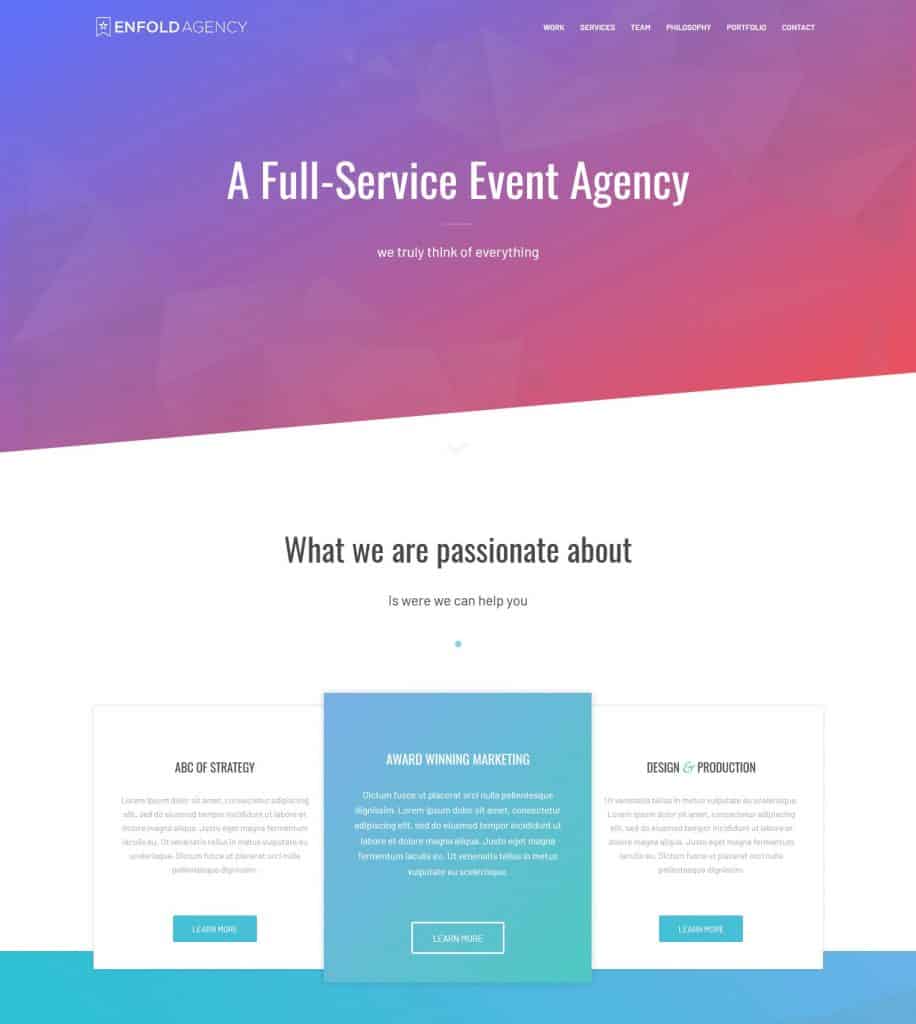
Enfold ships with dozens of demos included at no extra cost, and Kriesi.at continues to add new ones with theme updates.
Backend Style Builder
You can build your own color scheme from scratch or start from a preset, then apply it across sections and elements without touching code. Image choice and placement stay under your control as well.
Free Updates and Support
Every purchase includes lifetime updates and 6 months of support.
Mega Menu
For larger sites, the mega menu keeps navigation organized instead of stacking sub-menus. It’s built into the WordPress Menu Builder, so turning it on and adding columns doesn’t require custom code.
Instant Ajax Search
Built-in Ajax search shows suggestions as visitors type, rather than waiting for a full results page reload.
Visual Shortcode Editor
The Template Builder can be more than you need for a small edit. The visual shortcode editor lets you make quick changes without opening the full builder interface.
Performance
Enfold’s own claim has long been that a well-configured build loads fast, but actual speed depends heavily on your hosting, how many demo elements you keep active, and your image sizes. Don’t take any theme’s speed claims at face value, Enfold’s included; test your own build with a tool like PageSpeed Insights or GTmetrix once your content is in place.
SEO Friendliness
Enfold uses clean, semantic HTML and CSS, which gives search engines a straightforward page to crawl. That’s a real, if modest, advantage over themes that bury content in nested divs and inline styles.
Theme Options
Icon Fonts
Enfold ships with the Entypo icon font pack, giving you access to a large set of icons for buttons, tabs, and icon lists. Icon fonts load faster than image icons and can be recolored to match your theme.
Header Layouts
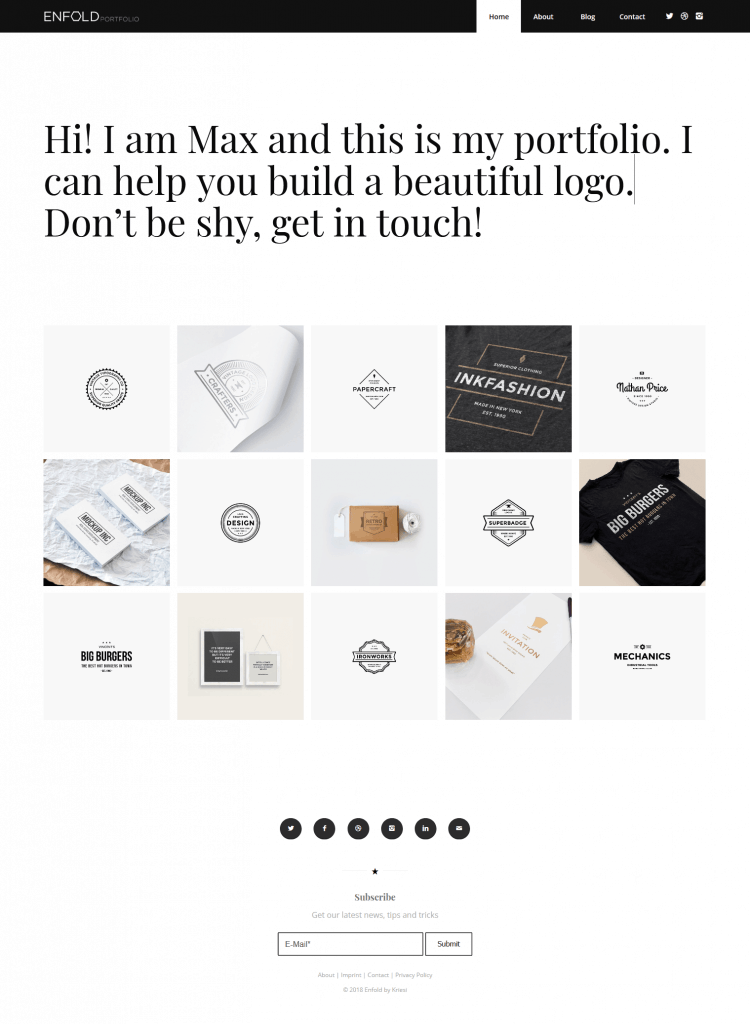
Since every site has different header needs, the theme ships with a range of header layouts, from a small one-page site header to something built for a larger blog.
Blog Layouts
Enfold’s blog layout options cover common cases: a multi-author layout if your blog has more than one writer, or a full-width layout without a sidebar if your posts lean on large images.
Additional Features of Enfold
Translation and Multi-Language Support
The theme ships with PO/MO files and is built to work with translation plugins, including WPML, which makes adding a second language less of a project.
Easy Slider
A lightweight fade or scroll slider for quick use on individual pages.
Layer Slider Plugin
The Layer Slider plugin, used for 2D and 3D slideshows, is bundled with the theme at no extra cost.
Responsive and Retina Ready
Enfold adapts its layout to the screen size of the visiting device, and its slideshows are touch-enabled and hardware-accelerated. Images and other elements are optimized for high-density Retina displays as well.
Support and Documentation
For a pre-sale question, Kriesi.at’s Contact page has a dedicated “Pre-Sale Questions” option. For post-purchase support, you can use the forum, which also lets you search existing answers before opening a new topic.
Kriesi.at maintains detailed documentation covering every feature, element, and layout, along with a video tutorial library aimed at people who are new to the theme. The company also runs a public feature request and voting system, so user feedback has a real path into the roadmap.
Enfold Pricing
Enfold is priced at $59 for a Regular License on ThemeForest, which includes 6 months of support and lifetime theme updates. You can pay extra to extend support to 12 months, though the forum remains available for help even after that window closes. An Extended License is priced separately on ThemeForest and is required if you’re building a product with Enfold that you intend to sell to others.
Verdict: Is Enfold Worth It?
The fast demo-import setup still gets you to a working site quickly, and the mix of the ALB and native Gutenberg support means you’re not locked into one editing workflow. Combined with clean markup and a developer that has kept the theme updated for well over a decade, Enfold remains one of the more dependable choices in the ThemeForest multipurpose category.
It’s not the cheapest option, and the ALB’s learning curve is real if you’ve never used a page builder before. But for the price, Enfold still holds up.